
AI Logo Design: Complete Implementation Guide for Your Brand
You've just created your AI-generated logo – exciting progress for your brand! But what happens next? Many entrepreneurs hit a roadblock right after this milestone, wondering how to bring their new visual identity to life. Creating the visual mark is just the beginning. The real challenge comes next: implementing your new brand identity across every platform while maintaining consistency.
An inconsistent brand can confuse customers and weaken your message. A strong, cohesive rollout, on the other hand, builds trust and makes a powerful first impression. This guide will walk you through the essential steps to launch your AI-designed logo. We'll cover websites, social media, print, and more, ensuring your brand looks professional and unified everywhere. If you're just starting your design journey, you can always create a logo with our easy-to-use tool.
Creating Your Brand Identity Implementation Plan
Before you start updating your profiles and printing business cards, take a moment to strategize. A solid brand identity implementation plan is your roadmap to success. It ensures that every action you take is deliberate and contributes to a strong, unified brand presence. Without a plan, your rollout can become chaotic, leading to mixed messages and a diluted brand image.
This plan doesn't need to be a hundred pages long. A simple document outlining where and how your new logo will appear is enough. Think of it as a checklist to ensure you don't miss any crucial touchpoints where your customers interact with your brand. This initial planning saves you time, money, and headaches down the road.
Digital Platform Integration Strategies
Your digital presence is often the first place customers will encounter your new brand. Consistency here is non-negotiable. Start by listing every digital platform where your brand exists. This includes your website, all social media profiles (LinkedIn, Instagram, X, Facebook, etc.), email newsletters, and any online directories.
For each platform, consider the specific requirements. Consider your website's favicon first. It needs a simplified logo that remains recognizable even at tiny sizes. For social media, your logo must work well in circular or square profile picture formats. Your email signature needs a small, clear version that doesn't overwhelm the text. Planning these variations ahead of time ensures your logo looks great everywhere, from a large desktop screen to a small mobile app icon.
Print and Merchandise Considerations
Even in a digital-first world, physical materials are vital for many businesses. From business cards and flyers to product packaging and company T-shirts, your logo needs to translate perfectly into the physical realm. This is where file formats become critically important. You'll need high-resolution vector files (like SVG) for professional printing. These files can be scaled to any size without losing quality.
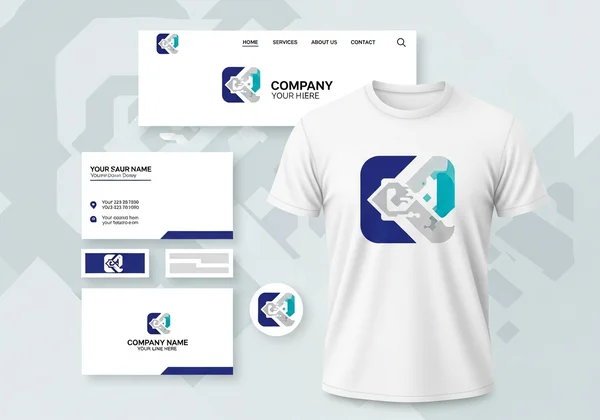
Before sending anything to the printer, create mockups. See how your logo looks on a business card, a letterhead, or a tote bag. Does it remain clear and impactful? You might need a simplified or single-color version of your logo for certain applications, like embroidery. Thinking through these print and merchandise considerations ensures your brand looks just as polished offline as it does online.
Your Ultimate AI Logo Design Rollout Checklist
To make the process even smoother, a checklist is your best friend. It breaks down the complex task of a brand rollout into manageable steps. This ultimate logo rollout checklist ensures you cover all your bases, from technical preparation to public announcement. Follow these steps to ensure your new logo shines everywhere, making your brand look professional and consistent from day one.
This is your project plan. Work through each stage without skipping steps to guarantee a polished result. A successful launch isn't just about changing an image; it's about relaunching your brand's promise to the world with a fresh, unified look. This is your chance to re-engage your audience and attract new customers.
Pre-Launch Preparation Essentials
Before you go live, get your assets in order. This is the foundation of your rollout.
- Finalize Your Logo Files: Gather all the necessary logo variations from your design process. This includes the full-color primary logo, a single-color version (black and white), and any simplified versions for small-scale use.
- Organize File Formats: Save your logos in different formats for different uses. Use PNGs with transparent backgrounds for websites and social media. Have high-resolution JPEGs ready for digital documents. And most importantly, secure a vector file (like SVG or AI) for any professional printing needs.
- Create a Simple Brand Guide: Document your brand’s rules. Specify the official logo versions, your brand colors (with HEX, RGB, and CMYK codes), and your brand fonts. This simple guide is invaluable for keeping your team and any future partners on the same page.
Multi-Channel Consistency Guidelines
Consistency builds recognition and trust. Your brand should feel the same no matter where a customer encounters it. This requires clear consistency guidelines.
- Website: Update the logo in your site's header, footer, and favicon. Go through your key pages and replace any old branding.
- Social Media: Change your profile picture and cover photos on all platforms. Ensure your bio or "About" section reflects your updated brand messaging.
- Email Marketing: Update the logo in your email templates, including your newsletters and automated responses. Don't forget your personal email signature.
- Business Documents: Revise your logo on invoices, proposals, presentations, and letterheads. Every document leaving your company should bear the new identity.
File Optimization for Different Use Cases
Using the right file for the right job is a sign of professionalism. A pixelated logo on your website or a blurry logo on a business card can instantly damage your brand's credibility.
- For Web & Digital: Use PNG files for logos that need a transparent background (like floating over a colored section on your site). Use JPEG for images where a background is acceptable. Keep file sizes small to ensure your website loads quickly.
- For Print: Always provide your printer with a vector file (SVG, AI, or EPS). This is the only way to guarantee your logo will look sharp and crisp, whether it's on a tiny business card or a massive billboard.
- For Internal Use: Use PNG or JPEG for internal presentations and documents. Having a centralized folder with all approved logo files helps your team use the correct versions every time.
Maintaining AI Logo Design Consistency Across All Touchpoints
Think of your logo rollout not as a one-time task, but as the beginning of an ongoing commitment to brand consistency. Every email, social media post, and product you ship becomes an opportunity to reinforce your brand identity. Maintaining this consistency is crucial for building long-term brand equity and customer loyalty.
When your brand looks and feels the same everywhere, it becomes familiar and reliable. Customers begin to associate your specific colors, fonts, and logo with the quality and value you provide. This consistency guide is your north star, helping you make smart branding decisions every day. If you ever need to create variations or new assets, a tool like an AI logo maker can help you stay on brand.
Color and Typography Systems
Beyond your logo, color and typography are the most powerful elements of your visual identity. Define a clear system for both.
- Color Palette: Don't just pick a primary color. Establish a palette that includes one or two primary colors, a few secondary colors for accents, and neutral colors (like grey, black, and white) for text and backgrounds. Document the exact color codes (e.g., #1A2B3C) to ensure perfect matches across digital and print.
- Typography Hierarchy: Choose two, or at most three, fonts for your brand. Assign one for headings (your "display" font) and one for body text (your "paragraph" font). Your body font should be highly readable. Define sizes and weights (e.g., bold, regular) for H1, H2, and body text to create a clear visual hierarchy.
Adapting Your Logo for Different Sizes and Formats
Your primary logo won't work perfectly in every situation. A great brand has a flexible logo system.
- Logo Variations: Plan for different scenarios. You should have a primary logo (the full version with icon and text), a stacked version (for square spaces), a horizontal version (for narrow headers), and an icon-only version (for favicons and social media avatars).
- Clear Space: Define a rule for "clear space" or "padding" around your logo. This is an invisible border that prevents other elements from crowding it, ensuring it always stands out and looks clean.
- Minimum Size: Determine the smallest size your logo can be displayed at while remaining legible. If the text becomes unreadable at a small size, you should use the icon-only version instead.
Your Brand Identity Launch Success Plan
You now have a complete plan. Rolling out your new AI-generated logo is about more than just swapping files. It's a strategic move to build a stronger, more recognizable brand. By creating an implementation plan, following a detailed checklist, and committing to long-term consistency, you turn your great logo into a powerful business asset.
For busy entrepreneurs like you, your logo is often the first handshake between your brand and potential customers. Make it count with a professional, consistent presence everywhere. Following this implementation guide will ensure your new logo makes a powerful impact across every platform. Ready to build a brand that stands out? Start your design journey today and see how easy it can be to create a professional logo and a cohesive brand story.
The Takeaway
How do I implement my AI-generated logo across different platforms?
Start by creating a checklist of all your digital and physical touchpoints. Systematically update your website, social media profiles, email signatures, and business documents. Use the correct file formats for each platform—PNGs for web, vector files for print—to ensure quality and consistency.
What file formats should I use for different logo applications?
For web and digital use (websites, social media), PNG files are ideal because they support transparent backgrounds. For general images and documents, JPG is a standard choice. For professional printing (business cards, merchandise), you absolutely need a vector format like SVG, as it can be scaled to any size without losing quality.
Can I trademark my AI-generated logo?
The ability to trademark an AI-generated logo is a complex and evolving area of law that varies by country. While tools like AiLogoDesign.net provide you with a unique design, we recommend consulting with a legal professional to conduct a trademark search and discuss the registration process in your specific jurisdiction.
How often should I update my brand identity after logo implementation?
A strong brand identity should be timeless. Unless your business undergoes a major strategic shift, you shouldn't need to update your logo or core identity for many years. Focus on applying your brand consistently rather than changing it frequently. Minor refreshes might be considered every 5-10 years to stay modern.
What are common mistakes to avoid during logo rollout?
The biggest mistakes are a lack of planning and inconsistency. Avoid stretching or distorting your logo, using the wrong file format (e.g., a low-resolution JPG for print), or using inconsistent colors and fonts. Creating a simple brand guide helps prevent these errors.