
AI Logo Design for Freelancers: Building a Flexible Visual Identity with an AI Logo Maker
Juggling multiple projects across different industries as a freelancer? You know how challenging it can be to maintain a consistent brand identity. You need a visual identity that is professional and consistent, yet flexible enough to adapt to your diverse portfolio. How do you create a logo that works for you as a web developer today and a graphic designer tomorrow?
This is where the power of artificial intelligence comes in. Modern AI tools provide a revolutionary way for freelancers to develop a strong, adaptable brand without the high costs or long timelines of traditional design. An AI logo maker can help you create a core visual identity and then easily generate variations for different niches. In this guide, we'll explore how you can use AI logo design to build the flexible brand your freelance career deserves.
Understanding the Freelancer's Branding Challenge
For freelancers, a logo isn't just a pretty image; it's the face of your business. It appears on your portfolio, invoices, social media, and business cards. But unlike a company that sells one type of product, your services might evolve or cater to completely different audiences, which creates a significant branding puzzle.
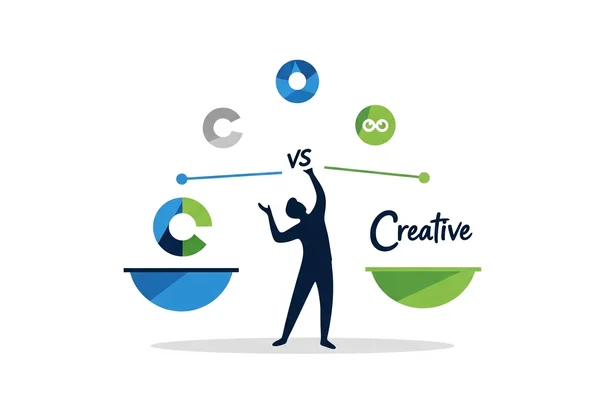
The Multiple-Niche Dilemma for Creative Professionals
Many creative professionals, like our "Creator David" persona, don't stick to a single niche. One month you might be designing a website for a tech startup, and the next you could be creating content for a local bakery. A logo that feels too corporate might alienate the bakery, while a playful, hand-drawn logo could look out of place on a tech proposal.
The multiple-niche dilemma presents a challenge. You must choose between a generic brand that fails to impress or branding that never quite matches your specific projects. Without a flexible visual identity, you risk appearing unfocused or failing to connect with potential clients in each specific field. This is a common hurdle in freelance branding that requires a smart, modern solution.
Balancing Consistency and Adaptability in Freelance Branding
The key to successful freelance branding is finding the sweet spot between consistency and adaptability. Consistency builds recognition and trust. When clients see your logo, they should immediately associate it with your quality work. However, strict consistency can become a creative straitjacket.
Adaptability allows you to tailor your brand's feel to different contexts. You might use a specific color variation of your logo for your tech-focused work and another for your creative writing portfolio. The goal is to create a "brand family" where each logo variation feels related to the others but is uniquely suited to its purpose. Achieving this balance manually is difficult, but an AI logo maker makes it simple and efficient.
AI Strategies for Versatile Logo Design
Using an AI tool like our logo maker isn't about just clicking a button; it's about using smart strategies to generate a truly versatile logo system. By guiding the AI with the right inputs, you can create a foundational design that is built for adaptation from the very beginning.
Core Prompt Engineering for Multi-Use Logo Concepts
Your instructions to the AI, known as prompts, are the most critical element in creating a flexible logo. Instead of asking for a single, perfect logo, think about crafting a "core prompt" that defines the fundamental elements of your brand. Focus on timeless attributes rather than niche-specific ones.
For example, instead of requesting 'logo for a freelance tech writer,' craft a prompt like: 'minimalist, geometric symbol, professional, clean lines, using the letters JD.' This prompt creates a strong, neutral base. From there, you can add modifiers for different niches:
- For Tech: "add a subtle blue gradient, futuristic feel"
- For Creative Clients: "use a warm color palette, slightly rounded edges"
- For Corporate Gigs: "monochrome version, elegant font"
This approach ensures all your logos share the same DNA, maintaining brand consistency while being perfectly tuned for each audience.
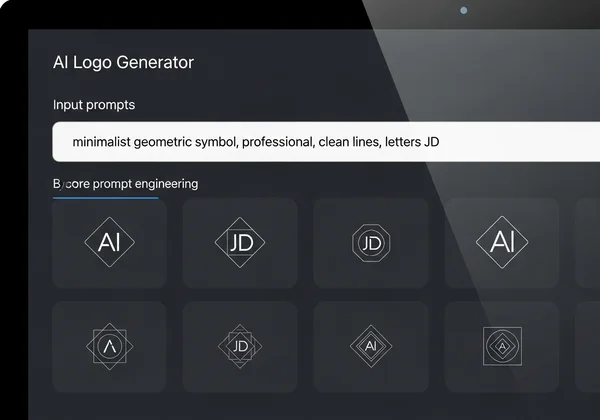
Modular Design Elements: Creating Logo Components for Easy Adaptation
Another powerful AI strategy is to think in terms of modular design. A modular logo is one that has distinct components you can swap or modify. You can use an AI tool to generate a primary symbol (an icon or monogram) and a separate wordmark (your name or business name).
With these separate elements, you can create multiple official lockups:
- Full Logo: Symbol + Wordmark
- Symbol Only: Perfect for social media profiles and favicons.
- Wordmark Only: Useful for document headers or website footers.
You can also instruct the AI to generate variations of your core symbol. For instance, if your symbol is a stylized eagle, you could prompt for versions where it's holding a pen for writing gigs or a gear for tech projects. This modularity gives you an incredible amount of flexibility for your personal brand identity, all generated quickly with a powerful AI design tool.
Case Studies: Successful Freelancer Brand Transformations
Theory is great, but seeing a flexible visual identity in action is what truly shows its power. AI logo design isn't just for new freelancers; it's also a fantastic tool for established professionals looking to refine their brand and expand their reach.
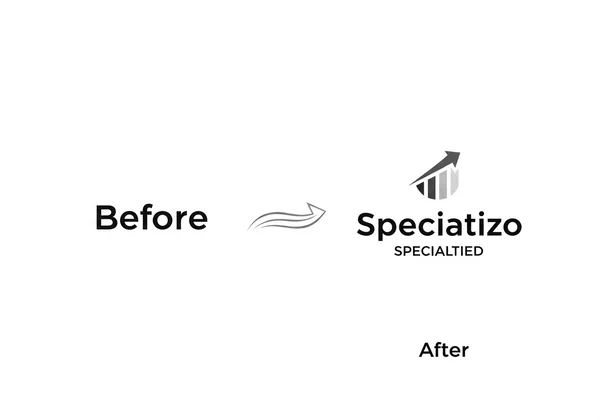
From Generalist to Specialist: Logo Evolution Strategies
Many freelancers start as generalists to build a portfolio. However, as they gain experience, they often specialize to command higher rates. A logo that once represented a "jack-of-all-trades" might need to evolve to reflect a new, expert focus.
Consider a freelancer who offered general marketing services. Their original logo was generic and broad. After deciding to specialize in SEO for e-commerce, they used an AI logo generator to evolve their brand. They kept their original brand colors but prompted the AI to create a new symbol incorporating a chart or growth arrow. This logo evolution signaled their new expertise to the right clients while maintaining a link to their established reputation.
Before and After: Visual Identity Adaptation Examples
Let's imagine a freelance photographer, "Sarah," who shoots both weddings and corporate headshots. Her original logo was a simple script font of her name—warm and personal, but not quite right for her corporate clients.
- Before: A single, script-based logo used for all clients. It worked well for weddings but felt unprofessional on corporate invoices.
- After using AI: Sarah generated a core monogram, "SP," with a clean, modern aesthetic. Then, she created two versions:
- Wedding Brand: The "SP" monogram paired with the original script font and a soft color palette.
- Corporate Brand: The same "SP" monogram paired with a strong, sans-serif font and a professional blue and gray color scheme.
Now, Sarah has a cohesive yet adaptable branding system. She appears specialized and professional in every context, strengthening her client relationships and justifying her rates. This is the kind of powerful transformation you can achieve when you create a logo with AI.
The Takeaway
Can I use the same AI-generated logo for different freelance services?
Yes, absolutely. A great strategy is to create a "master" logo and then generate variations for each service. You could change the color scheme or a small design element to differentiate them while keeping the core identity consistent.
How often should I update my freelancer logo as my business evolves?
There's no set rule, but a good time to consider an update is when you make a significant shift in your services or target audience. If you're moving from a generalist to a specialist, evolving your logo is a great way to signal that change. With an AI logo tool, this process is fast and affordable.
What's the best way to maintain brand consistency across different client projects?
The key is to establish a core set of brand assets. Use your AI-generated logo to define your primary font, color palette, and symbol. Then, use these elements consistently across all variations of your branding to ensure everything feels connected.
Can AI logos be easily adapted for different social media platforms?
Yes. One of the biggest advantages of AI logo design is the ability to generate different formats and compositions. You can create a full horizontal logo for a website header and a compact, symbol-only version that looks perfect as a small profile picture on Instagram or LinkedIn.
How do I ensure my AI-generated freelancer logo stands out in competitive niches?
To stand out, get specific with your prompts. Avoid generic terms like "modern logo." Instead, add keywords that reflect your personal style or industry. Examples include 'retro-futurism,' 'hand-drawn,' or 'negative space.' The more unique your input, the more unique your output will be. Try our free tool to experiment with different prompts and find your perfect look.
Is an AI-powered logo the right choice for my freelance career?
Imagine presenting a perfectly tailored brand to every client, regardless of their industry. With AI logo design, you can create a versatile brand system that grows with your freelance career—without the designer price tag. By leveraging an AI tool, you can overcome the multiple-niche dilemma, balance consistency with adaptability, and evolve your brand as your career grows. Stop letting a single, rigid logo hold you back. Start your design journey today